Hiển thị các bài đăng có nhãn game. Hiển thị tất cả bài đăng

Thứ Tư, 28 tháng 9, 2016

Fallout 4 Mods Not Coming to PS4

Bethesda Game Studios officially announces that mod support for its post-apocalyptic RPG Fallout 4 will not be coming to Sony’s PlayStation 4 consoles.

Despite Bethesda’s announcement that the release date forFallout 4 mods on PlayStation 4 would occur earlier this June, players have been kept waiting ever since. Now, unfortunately enough, the developer has officially announced by way of a blog post that mod support on the console is going to be cancelled indefinitely for Fallout 4.

According to Bethesda, the blame lies squarely with Sony, as the company has constrained the way in which the developer can have mod support for Fallout 4 operate on the PlayStation 4. Apparently, the Japanese tech firm had its own vision for how the program could work, but it was too restrictive to the action-RPG’s users, as found in Bethesda’s full statement on the matter below.

“After months of discussion with Sony, we regret to say that while we have long been ready to offer mod support on PlayStation 4, Sony has informed us they will not approve user mods the way they should work: where users can do anything they want for either Fallout 4 or Skyrim Special Edition.

“Like you, we are disappointed by Sony’s decision given the considerable time and effort we have put into this project, and the amount of time our fans have waited for mod support to arrive. We consider this an important initiative and we hope to find other ways user mods can be available for our PlayStation audience. However, until Sony will allow us to offer proper mod support for PS4, that content for Fallout 4 and Skyrim on PlayStation 4 will not be available.”
Although Bethesda has currently ceased mod support for Fallout 4‘s PlayStation 4 versions altogether, the studio did go on to say that it would update fans of the game should the situation change. However, there’s no telling as to whether or not Sony will alter its position on the issue, but if it doesn’t, Bethesda seems to be sticking to its guns and its developers won’t back down until mods on PS4 work similarly to the feature for Xbox One.

For fans who are unaware, Fallout 4‘s PS4 mods received delay after delay following the announcement of the feature’s actuality earlier this year. Regrettably, the program for Sony’s console was plagued with problems from the start, for not only was the size limit for mods reduced by a much greater degree than those on the Xbox One, but also Bethesda encountered memory, performance, and audio issues during development.

While this is sure to disappoint plenty of Fallout 4 owners on PlayStation 4, at least fans can take solace in the fact that they’re no longer being strung along with promises that mod support is eventually on its way. Hopefully, though, Sony will decide to compromise with Bethesda so thatFallout 4 players can take full advantage of the feature sometime in the future.
Fallout 4 is out now and is available for PC, PlayStation 4, and Xbox One.
Source: Bethesda
>>>Check out to get list of  new games coming out and upcoming video games

Thứ Năm, 22 tháng 9, 2016

Pokemon Uranium is Officially Dead

The developers of the fan-made Pokemon Uranium game announce that it will no longer be receiving new updates and its online services will be shut down.
The decade-long saga of Pokemon Uranium has finally come to a close. The group of fans that have been working on Pokemon Uranium for all these years have decided to stop supporting it in any official capacity, removing all download links, ceasing work on any future updates, and shutting down the game’s online services effective immediately.
The dedicated group of Pokemon fans that developed the game announced its demise on Twitter earlier today. Apparently, the team decided to end support for Pokemon Uranium because there is a “limit” to how far fan games can go, and they would like to move on to new projects. Whether or notNintendo’s legal notices played a role in the decision or not is anyone’s guess.
After Nintendo managed to get Pokemon Uranium pulled from the web, fans were still sharing download links with each other, and the developers still supported the game with updates and online functionality. Perhaps Nintendo was wise to the fact that the Pokemon Uranium team was continuing development on the project, and decided to be more aggressive with its legal actions. That’s just speculation at this time, however, and it’s possible that the explanation provided by the team is the full truth.
If Nintendo did play a role in this latest Pokemon Uranium development, it wouldn’t be all that surprising. The Big N has been quick to have numerous fan-made projects taken down this year, such as a Metroid II remake that was created to celebrate the franchise’s anniversary (an event Nintendo largely ignored), as well as a parody game that combined Super Mario with No Man’s Sky.
This could end up being a good thing for the Pokemon Uranium development team, however. The individuals that helped make the game have developed game development skills that could help them land legitimate jobs in the industry, so that they can work on games in an official capacity. Furthermore, they already have a built-in fan base of the people that enjoyed the nuclear-powered twist on Pokemon in Pokemon Uranium that will be excited to see what they cook up next.
Maybe one day the Pokemon Uranium team will return to release more content for the game, or perhaps someone else will step forward to continue fleshing out the project. Even if they don’t, though, those that have already downloaded Pokemon Uranium should still be able to enjoy its single player adventure for the time being.
Pokemon Uranium was available for PC.
Source: Pokemon Uranium
>>>> Check out to get list of  new games coming out and upcoming video games

Thứ Sáu, 16 tháng 9, 2016

Nibblers Cheats: Top 8 Tips For You


Let’s ask a simple question. Why do you play games? If you’re anything like us, then the answer is that they’re often extremely fun!
Rovio, the masterminds behind the Angry Birds series, recognized this and decided to create a game that is all about simplicity and fun; they created Nibblers! In the game, you’ll go through more than 200 levels of helping little fish-like creatures to defend their island from the invading reptiles who want all the fruit for themselves.
Stick with us, for in order to help you get the most out of this game, we decided to offer you these 8 tips, tricks, and cheats.

1) Get to Know Your Nibblers
As with the traditional match-three puzzle games, you make things happen by matching the right types of fruit on the board. Do this with more than 3 of them to summon your Nibbler!
Match 4 fruits of the same type to summon Coral, who is capable of clearing an entire row or column. If you make an �L’ or �T’ shape with 5 fruits, then prepare to meet Bitelings who clears entire rows and columns in all 4 directions.
Octo will spawn up if you match 5 fruits in a line; he does a lot of damage by obliterating 3 rows or columns. Finally, summon Bouncer by completing multiple combos and enjoy the sheer pleasure of devastating power! He can clear out an entire board with a single drop!

2) Keep Your Friends Close…
In this game, you will be facing many different types of enemies; our advice? Don’t go into it blindly.
The first thing you’ll notice about your reptile enemies is whether they stand in one place or not. The static ones can be defeated by simply matching fruits in their vicinity, while the moving enemies are a bit harder to kill – they take two matches made on their heads in order to drop dead!
Snake-y and turtle-y creatures are a bit tougher since they require you to summon a Nibbler to eliminate them. Lastly, mud creatures can be taken out by matching fruits all around them. Beware though; those muddy beasts can be very tricky to kill!

3) Make the Power-ups Count
Fighting the enemies mentioned above is nothing compared to the boss battles. Therefore, however tough a regular level is, try not to spend your power-ups on it. Keep them for the bosses – they deserve it!
And besides, power-ups are not at all cheap.

4) Match Big
Seeing how effective and colorful a 3-match play can be, it may make you satisfied with the easiest of matches. But, don’t be. In your game always go for bigger, 5 or more matches.
The reasons for this are many, but the most important one is that bigger matches result in summoning more powerful Nibblers, who in turn make the game more fun!

5) Make Use of the Bonuses
No matter how good you are, sooner or later you will lose a level. Don’t despair though; the game has a neat way to get you back on track!
Whenever you fail, you’ll be offered to watch an ad video. By doing so you’ll receive a bonus Nibbler. Just make sure to watch the ad video before you quit the game, since once you left there won’t be any video to watch.

6) More bonuses!
Rovio’s long-established tradition of giving benefits to all players who connects their games to their Facebook accounts is present in Nibblers. Use this feature, for it gives you some special bonuses, not the least of which is the possibility to get a few extra lives.
Connecting to your Facebook account will also save any progress you’ve made. This is particularly handy if you change your device or for some reason uninstall the game.

7) Focus on the Objective
This one may seem straightforward to some, but we feel the need to stress it out.
The levels in Nibblers often feature a few obstacles that you have to get around before completing your objectives. Try not to focus of these obstacles; they are there only to hinder your progress towards completing the objectives.
For instance, if the game asks you to clean some mud before getting to a reptile, do not clean all of it! It would be a pointless activity that results in no reward whatsoever.

8) Undo Your Moves
If you feel you’re about to make a wrong move with your Nibbler, don’t despair. You can always change your mind provided that you still have control over the Nibbler in question. Take your time and Drag the Nibbler as long as you feel like it!
Check out to read some news about game of thrones and online games for kids

Thứ Tư, 14 tháng 9, 2016

This Week’s New iPhone and iPad Games


Welcome to another week of new mobile games for your iPhone and iPad. A few surprises spawned up this week’s releases with a couple ports along with freshly designed puzzle experiences.

Check out this week’s new iOS games, available in the App Store. Download links available.

SKYHILL

World War III was one cruel tragedy, at least for the others. You seemed to have a quite nice time, hidden in your fancy penthouse at the Skyhill Hotel… Till the impact of a bio-weapon blew away the life you once knew.

Disco Dave
Are you ready for some 70s’ disco fever with Dave and the rest of the gang? Disco Dave is a quick fun game with voxel graphics. Test your reflexes in the neon disco environment, stay alive and perform combos to get extra points. Watch the floor tiles change colour, and stay away from the gray ones!

Monster Super League
Fans of modern and classic collection games can revel in the world created inMonster Super League, a unique take on strategy RPGs, giving players the chance to journey through eight distinct regions filled with over 550 unique and lively Astromon to capture and train.

Submerged
Submerged is a third-person combat-free game in which you explore a mysterious flooded city and discover the beauty of desolation in vast outdoor environments. You take on the role of Miku, a young girl who has brought her wounded brother to the city in their small fishing boat. Navigate the flooded city streets by boat, scale the drowned buildings, and use your telescope to scour the city for the supplies needed to save your dying sibling.

STEINS; GATE
The story found in STEINS;GATE is not your usual time traveling fare, but is a “hypothetical science adventure” focused on the structure of time travel itself.
Many of the situations and scientific concepts referred to in the game have been plucked from real science; the story-line is therefore credible and intellectual stimulating for players.

Atomic Super Lander
The doomsday is upon us. The Earth is about to be bombarded by an asteroid supercluster! Its time to cram all able-bodied men to rockets and fire them blindly into space in a desperate fight for mankinds survival!

Makenines
It requires careful thought and is solved using process of elimination similar to world-renowned puzzle game Sudoku. Think you’re good with numbers? Think you’re great at solving puzzles? Put your brain-skills to the test!

Head of State

Head of State is a political simulation game. It is a satirical look at the dangers facing modern democracy.

Rubek

Rubek is a minimalist color based puzzle game. Roll a cube to pick up and match correct colors on the floor, as you make your way to reach the end point while figuring out a way to solve the puzzles. Play through 70+ handcrafted levels of mind bending difficulty and collect stars to compete on the global leaderboards.

Isoland


Get some of new games coming out and the reviews

Thứ Hai, 5 tháng 9, 2016

How to play Pokémon Go: All the tips you need to become a Pokémaster

How to play Pokémon Go: Tips, tricks, hints and cheats to help you become a Pokéboss quicker than your mates.

What was the world doing before Pokémon Go came out? It seems everyone has at least tried the game at some point, and at this point, there's no question it's a certified phenomenon.

But with so many players, you're going to need a little extra help if you want to stay one step ahead of the competition.

Which is why we've rounded up our best tips and tricks to help you become a Pokémaster. Here's all you need to know in order to get ahead in Pokémon Go.

UNDERSTANDING POKÉ-TERMS

First though, a quick rundown of some of the names and phrases you'll come across when playing the game:

Pokéstops – All the items you need to play the game are stored in these blue supply stores, dotted around the map.

Pokéballs – Used to catch Pokémon and build your team.

Incense and Lure Modules – You can use these items to attract more Pokémon to your location. At the start, this is vital to build a large team that you can then use to battle or trade for goodies further into the game.

Gyms – Available from level five, controlling gyms is what the game is all about. Located at points of interest and landmarks, these are where the battles between players and their Pokémon take place.

Factions – These are the teams you're asked to join after reaching level five. They will determine which colour a gym turns when you claim it. Simply pick your favourite colour.

Potions, Super Potions and Revives – After a hard battle, you’ll need these to help your Pokémon recover before the next challenge.

Candy and Stardust – Think of these as supplements to make your Pokémon stronger and more evolved — absolutely vital for taking over more gyms.

Eggs – Go is big on XP, and you’ll need Lucky Eggs if you want to earn double XP. Regular eggs allow you to hatch more Pokémon to add to your team.

Razzberries – Harder to catch Pokémon can be tamed by feeding them these and winning their trust.

Now you're up to speed, here are our tips on how to get ahead in Pokémon Go:

1) TURN OFF AR

This is the easiest way to start racking up your Pokémon count. One of the game's more intriguing features is how it uses your phone's camera to overlay images of Pokémon onto real-world environments – a crude but still engaging form of AR. Come across a wild Pidgey or Weedle and the game will load whatever you camera is pointed at as a background on which to do battle with the newly-discovered creature.

But what you may not be aware of is that using AR mode actually makes it harder to catch Pokémon. Simply turning off AR allows you to centre the Pokémon on your screen, making it much easier to chuck Pokéballs and claim your prize.


To turn AR mode off, wait until a wild Pokémon appears and tap the AR slider on the top-right of the battle screen. Whichever creature you're trying to enslave into your Poké-army will immediately move to the centre of the display, ready for the taking. Throw a ball or two and that wily Abra will be yours.

2) DO CATCH 'EM ALL (AND TRADE THE LEAST POWERFUL)

This is another simple tip, but one worth knowing for those who've just signed up to the game. While it's often tempting to overlook the more mundane Pokémon that crop up all the time (seriously, Weedle, piss off) you should try to catch all the creatures you can.

That's because you can immediately trade them in to the Professor to get Pokémon-specific candy. Why is that important? Because candy and Stardust are how you evolve your Pokémon.


For example, if you've got an abundance of Pidgeys, you should immediately figure out which one of them is the most powerful by seeing which has the highest CP score and the highest-rated attacks. Once you know which one you're going to keep, select the first Pidgey you want to transfer, scroll down to the bottom of the menu that pops up, and tap 'Transfer'.

You'll be asked to confirm, after which the Professor will provide you with Pidgey candy. Once you've got 12 of these, you'll be able to upgrade your remaining Pidgey to a Pidgeotto, provided you've also managed to collect enough Stardust on your travels. Transfer enough Pidgeys or Pidgeottos and you'll get enough candy to evolve the Pidgeotto to a Pidgeot.

Each Pokémon requires a different amount of candy to evolve to its next state, so keep an eye on how many of each kind you're collecting and make sure to transfer the less powerful ones to start stacking up the candy for future evolutions.

You will receive 500XP for every low level Pokémon you evolve, or 1000XP for every second level Pokémon you evolve. So all those Pidgeys and Pidgeottos you evolve are the fast-track to levelling up. This is also where your Lucky Egg comes into play. Wait until you have lots of Pokémon all set to evolve. Trigger your Lucky Egg and your level-up medal will be imminent.

3) FEELING LUCKY? USE LUCKY EGGS CAREFULLY

If the game is feeling generous, you may just find yourself in possession of a Lucky Egg. What the hell is that, you ask? Well, ever since we wasted our first Lucky Egg by using it at the worst possible time, we've made sure we know the answer to that very question.

Basically, a Lucky Egg doubles all the XP you get for 30 minutes. You should start to pick up a few once you reach level 8 or so, and they can also be bought from the shop – if you're a dirty cheat, that is.


As the egg's effect only lasts for half an hour, you're going to want to spend that time as productively as you can to maximise the XP you get. Before you start the timer, then, make sure you've got a load of Pokémon to evolve, tons of Stardust, a Lure Module or Incense, and plenty of Pokéballs. Also make sure you're near a Pokéstop and gym.

Once you've started the Lucky Egg's timer, drop the Lure Module on the Pokéstop and immediately begin evolving your Pokémon. Pidgeys and Rattatas are good for this, as they seem to crop up all the time and only need 12 candies to evolve, but any Pokémon you have ready to evolve will net you XP once you start upgrading them – and thanks to the Egg, you'll get double the amount.

You'll also want to catch all the unsuspecting Pokémon that come your way as a result of the Lure Module, gaining double XP for all the creatures you manage to capture.


Once the Lure Module starts to wear off and you've evolved all your Pokémon, head to the nearest gym and start racking up the XP by stealing the gym from those wretched Reds, or whichever team happen to be your sworn enemies.

If the gym belongs to your team, try raising its prestige with some repeat attacks, and make sure you use any extra Stardust you get to raise the level of your best Pokémon. It all adds XP and should result in a nice and productive half-hour of Lucky Egg levelling.

4) TWEAK YOUR POKE-HUNTING TECHNIQUE

When the game first launched it came with a Nearby tracking feature that showed you how close Pokémon were to your location. The feature has since been tweaked by the team at Niantic, who have removed the footprint tracking system – a feature which showed you how close a creature was by displaying either one, two, or three footprints below its icon in the list.

But although the footprint aspect has been removed, the Nearby tracker still remains part of the game, in the form of the 'Sightings' menu, and is arguably easier to use than before. In order to find the Pokémon that are showing on your tracker, you can no longer click on a specific creature and follow the flashing green box to where that Pokémon is supposed to be.

To hunt down a specific beast, keep the Sightings display open, walk around, and watch for whether the creature's icon disappears from the list or not. If so, you're going the wrong way. Repeat until you happen across the little beast.

In the latest update, the circumference of the circle around your character has also been increased. This means you’re able to catch Pokémon that are much further away than you could previously. The distance is now about 200 metres.

A new Nearby tracker should be arriving soon, so this could change in the near future. The new system is being trialled by Niantic with certain users, and we're expecting it to be rolled out to other players soon.

5) NEVER LURE LOCALLY

One of the most unique aspects of Pokémon Go is that it aims to get you out and about. The more new places you take your Poké-hunt to, the more different Pokémon you’ll find.

If you only play the game in your local area, you’ll find yourself catching the same Pokémon time and again. And although this is useful for evolving and levelling up, we are all after the same result – catching as many different Pokémon as possible. So why waste your own lures in your local park when you know it's only filled with common Drowzees and Rattatas?


Instead, make the most of lures other people have dropped in your area. Unlike incense, which will draw Pokémon specifically to you, a Lure is attached to a Pokéstop and can benefit all the Poké-trainers in the area. You’ll see be able to tell if a lure has been released at a Pokéstop when the supply store starts showering purple confetti. Keep an eye out for these when walking around your local area, and keep your own Lures and Incense for when you’ve taken your Poké-hunt somewhere new.

Once you’ve arrived at a new location and your ‘Nearby’ screen is telling you there are a range of interesting Pokémon close by, this is the time to strike up your Lure or Incense. Before using a lure on a specific Pokéstop, make sure you’re able to stay in the same spot for 30 minutes. In no time you’ll find yourself surrounded by Pokémon ready for catching.

6) ROLL WITH A CREW

Although Pokémon Go can be perfectly enjoyable when playing solo, if you want to move up the ranks quickly, it's advisable to round up a few fellow trainers and travel in a pack. Pokémon Go lets you choose between joining either the Red, Blue or Yellow team once you reach level 5, which forms the basis for gym battles. Whenever you capture a gym, which are dotted around the landscape, you will claim it for your team.


And while it's much more satisfying to steal a gym from some unsuspecting randomer, you'll have a much easier time levelling up, at least at first, if you travel with some members of the opposite factions. That way, you can roam the land, taking gyms for your team, then losing them to your fellow travellers and repeating the process. This means you'll all gain the XP that comes with taking and defending gyms without having to wait for an unknown Pokétrainer to come along and challenge you.

7) DATA AND BATTERY-SAVING TIPS

There's a few things you can do to save battery life and data. Firstly, there's the battery saving feature built in to Pokémon Go, which can be found in the settings menu, and should allow you to keep hunting for much longer.

Secondly, and more generally, make sure your phone isn't downloading automatic app updates over your data connection. To ensure you're only getting automatic updates when you're connected to Wi-Fi, iPhone users can turn off 'Wi-Fi assist' in Settings, while Android users should select 'Update Apps automatically only through Wi-Fi' in their Settings.

You can also download data-conserving browsers such as Opera Mini, which will load pared-down versions of websites to limit the amount of data used. Chrome users should also check out Chrome Data Saver.


Of course, a lot of apps will run in the background, using up your data without you even realising it. To stop this betrayal from going on any longer, iPhone users should go to Settings>General and turn 'Background App Refresh' off. Alternatively, you can turn off individual apps' ability to update in the background in the same menu.

Android adherents should go to Settings>Data Usage and scroll down to see a list of apps using data. Tapping on individual apps will give you the ability to 'Restrict app background data' for particular apps.

8) KEEP AN EGG ON THE BOIL

You should find yourself picking up eggs on your travels, which can be hatched to gain new Pokémon by simply walking around. If you do nothing else, make sure you have at least one egg in an incubator at any one time. You’ll find your eggs by tapping on the Pokemon button then scrolling right to reveal all of the eggs you’ve collected.

Eggs will hatch after either 2km, 5km or 10km of distanced travelled. The further you have to walk, the rarer the Pokemon inside is. 2km eggs will hatch your standard Zubat or Spearow, while 10km eggs may hold a Mr. Mime.


It's also worth noting that the longer you had to walk to hatch your egg, the higher the XP you receive. So try to keep track of when your 10 km egg will hatch and use your Lucky Egg to coincide and maximise the XP you get.

Even when you’re not actively hunting for Pokémon, make sure Pokémon Go is running in order for it to track how far you’re travelling. The app doesn't track distance travelled if you don't have it open while travelling. And don't think about cheating by using a car either – the game knows when you're travelling faster than a preset speed limit, and won't count any distance travelled above this speed.

Walking is the most reliable option. However a slow-moving bus in heavy traffic will often do the trick. What’s more, if you have your AR switched off, you may find you can catch a few Pokémon along the way. This is also a great way of checking out where you can find different Pokémon, even if you don’t have time to catch them. Although, if you’re not in a hurry you can always jump of the bus at the next stop and track down that pesky Sandshrew.

9) PERFECT YOUR THROW

There are a few tips to follow if you want to improve your catch rate and reduce the number of re-throws you need to make.

Firstly, get into the habit of throwing when the catch circle (the coloured ring that diminishes in size) is small. Although it's easier to hit the Pokémon when the circle is at its largest, and you may have been relying on this technique in the early levels, your Pokémon is more likely to break out afterwards, especially once you start hitting the higher levels.


Once you start collecting Great Balls, Master Balls and Ultra Balls, you’ll need to start combining these with Razz Berries to catch high-CP Pokémon, or those with orange or red catch circles. You’ll gradually get the hang of which combination to use for different Pokémon through practice. But, initially, throwing a Razz Berry then following it up with a Great Ball throw to a small catch circle usually does the trick.

If your Pokémon still breaks out, you can keep using Razz Berries before each throw as long as you caught the Pokémon in the previous throw. You can’t use multiple Razz Berries without catching the Pokémon in between.

10) IT'S NOT ALL ABOUT CP

That's right, those seemingly all-important Combat Points aren't always the best indicator of how a Pokémon is going to fare in battle. There's actually a whole hidden level of stats called Individual Values, or IVs which will contribute to the strength of any given creature.


As such, it's best to catch as many Pokémon as possible, even if you already have a particular creature, if for no other reason than to ensure you get the best possible version of a Blastoise, or Raichu, for instance.

The thing to keep in mind is that, although CP is important, as well as the particular battle moves a Pokémon has, it doesn't tell you the whole story, and you could ultimately end up with a weaker Pokémon than you realise, once you get into evolving. Luckily, there's an online calculator that can help you determine whether a Pokémon is worth the effort it takes to train it up and evolve. You can find the IV calculator here.

It's also worth mentioning that moves are important. All Pokémon will have two attacks they can use during gym battles. If you capture two of the same Pokémon, and one has a higher CP, don't be too quick to trade the creature with the lower CP in to the Prof. First, check the moves for both, and if the lower CP one has higher-rated moves, it might just be worth keeping that one instead. Of course, if there's a huge difference in CP, it's a different story. We'd refer you to the above calculator in any case.
11) EVOLVE A DOWNED POKÉMON FOR A FULL REVIVE

This is a bit of a cheeky technique if you happen to have a downed Pokémon in your arsenal and don't want to use a revive. It turns out you can feed candies and use stardust on any creature that's been defeated in battle. That means, if you've got enough candies, you can evolve it while it's still technically 'down'.

Once it gets to its evolved state it should have a full health bar. Simple, and not all that much easier than just using a revive. But it could be worth knowing in a pinch.

12) BATTLE YOUR OWN GYMS

Here's another quick and easy one. If you've got a particular gym you would hate to see fall into the hands of another team, especially Spark and his band of Yellow scoundrels, you might consider fighting at your own gym.


Why would you do such a thing? Well, each Pokémon you defeat will gain XP for the gym itself. Rack up enough XP and the gym will level up – unlocking more spaces for you to add new creatures to defend it. It's worthwhile, as the more Pokémon you have there, the easier it will be to defend. And defending a gym nets you Pokécoins, which you can use to buy all manner of helpful supply in the store.

We'll be updating this list with more invaluable tips in the coming days, so stay tuned.

Pokemon Go: 7 bizarre places Pokemon have been spotted

Pokemon Go has arrived for iOS and Android, and Pokemon trainers around the world are discovering creatures in some unlikely places.

After what seemed like a somewhat drawn-out launch, Pokemon Go is now available for most iOS and Android users around the world, including in the UK. If you're still waiting to get the app, click here to find out how to download it right now.

The game allows you to hunt and catch Pokemon using real-world maps. After a creature is found, the game uses your phone's camera to create an augmented reality view where the Pokemon is superimposed onto the real world.

It makes for some interesting gameplay, with many budding Pokemon trainers running into fellow enthusiasts on their hunt for the more elusive species.

What is Pokemon Go?

But sometimes, the game can lead players astray. Australia's Northern Territory police have already had to issue a warning after eager players wandered into a police station in search of Poke Balls.

And although the game's only been out for a day or so, Pokemon are starting to crop up in other unusual places.

Here's seven of the weirdest.

1) WORTH A SHOT?

via Reddit

Before you can catch any Pokemon, you're going to need some Poke Balls. Luckily the game is littered with 'Pokestops' – prominent sites that have been designated as supply stores where players can stock up. Unfortunately, for this particular Pokemaster, the abundance of Poke Balls lays within the bounds of a heavily-guarded military base.

But hey, you're never gonna catch 'em all if you don't have the balls...

2) ER, CAN I HELP YOU?

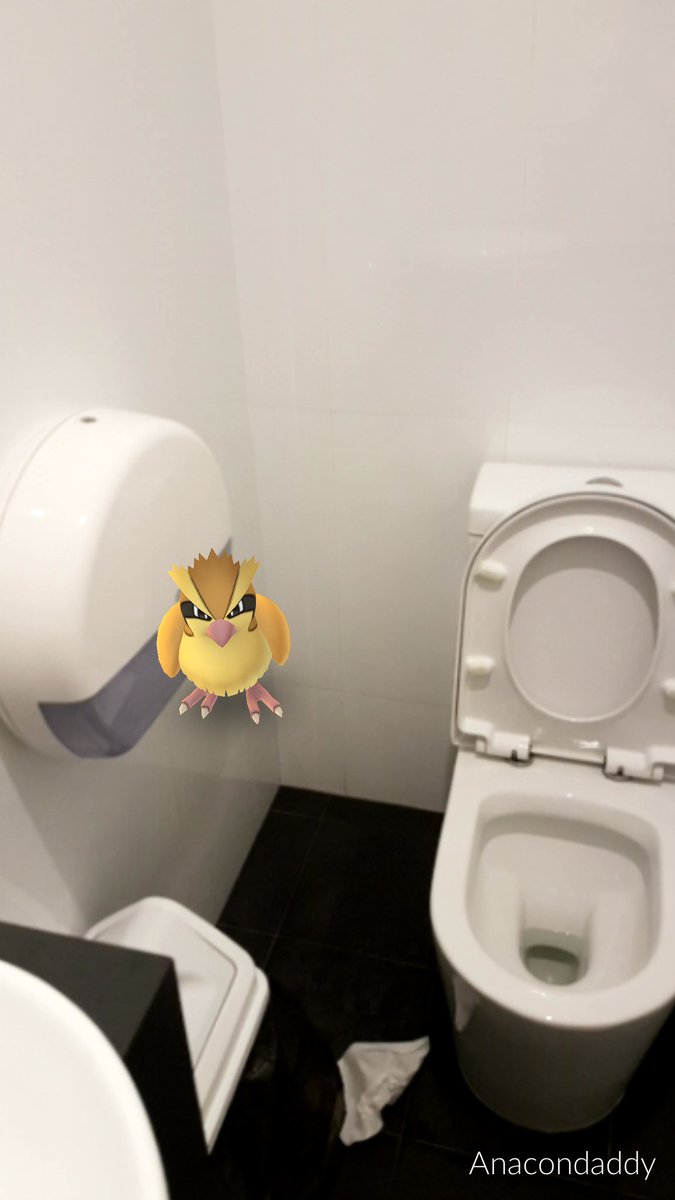
It seems this Go player took some time to indulge in a spot of Pokemon hunting while... taking a break, shall we say. Obviously Spearow has no time for such activities, challenging this toilet dweller to a duel at what we assume was a fairly awkward moment. No less awkward than being a fully grown adult playing a kids' game, though.

As it turns out, the bird Pokemon seem to have a penchant for lurking around the lavs, as these other tweets reveal:


3) CONGRATULATIONS, IT'S A PIDGEY!

Via imgur

We're not sure this one is entirely real, but we wouldn't be surprised if someone in our modern age did take a game seriously enough to disregard the birth of their child in favour of bagging a Pidgey. I mean, Pidegey's aren't even that rare, mate.

4) A WILD OBAMA APPEARED


Via Reddit

This guy reckons he found a Pokemon gym located at the White House, which can only mean Obama has given up on his Presidential duties in the face of an impending Trump administration and turned to mobile gaming as a means of passing the time. Either that, or Biden's totally not been paying attention during the morning briefing.

5) IT'S ONLY A MATTER OF TIME UNTIL THIS STOPS BEING FUNNY
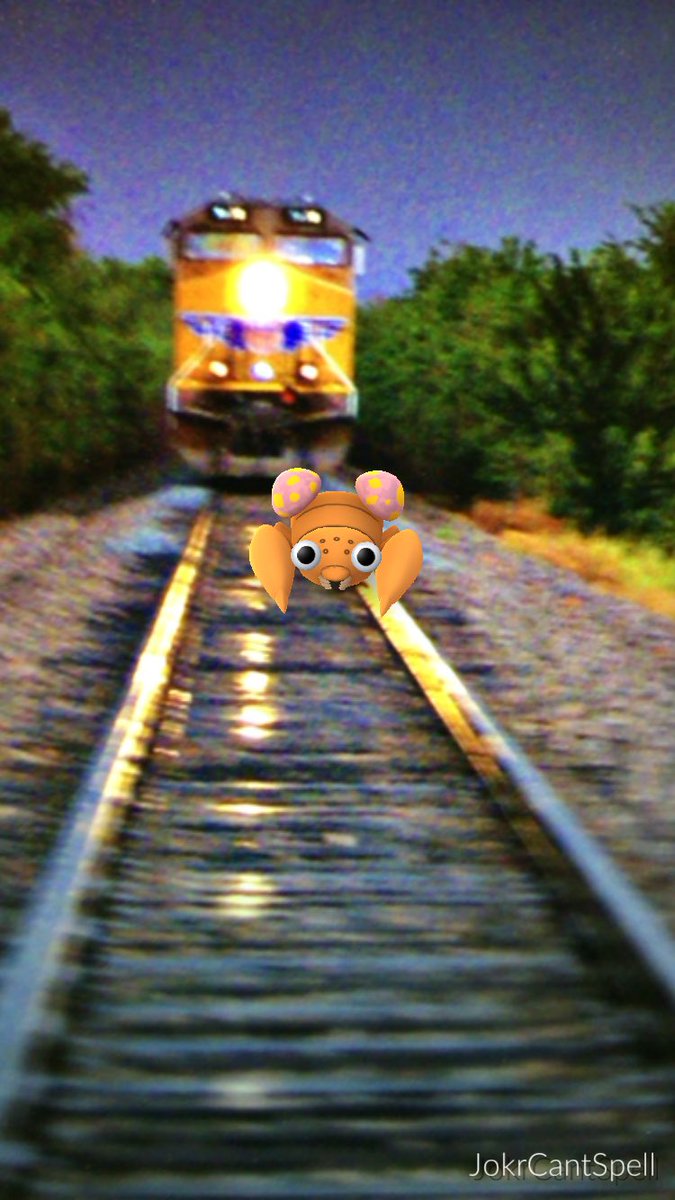
This one's pretty self-explanatory. A man has walked onto some train tracks in the pursuit of one of the more lame Pokemon – and notoriety on social media, of course. Which is, after all, what we're all really trying to catch, right? Either that or he's done a quick Photoshop job – which we hope is what's really going on here because it can't be too long before witless Poketrainers start meeting their maker as a result of wandering into situations just like this.

6) GOTTA CROTCH 'EM ALL
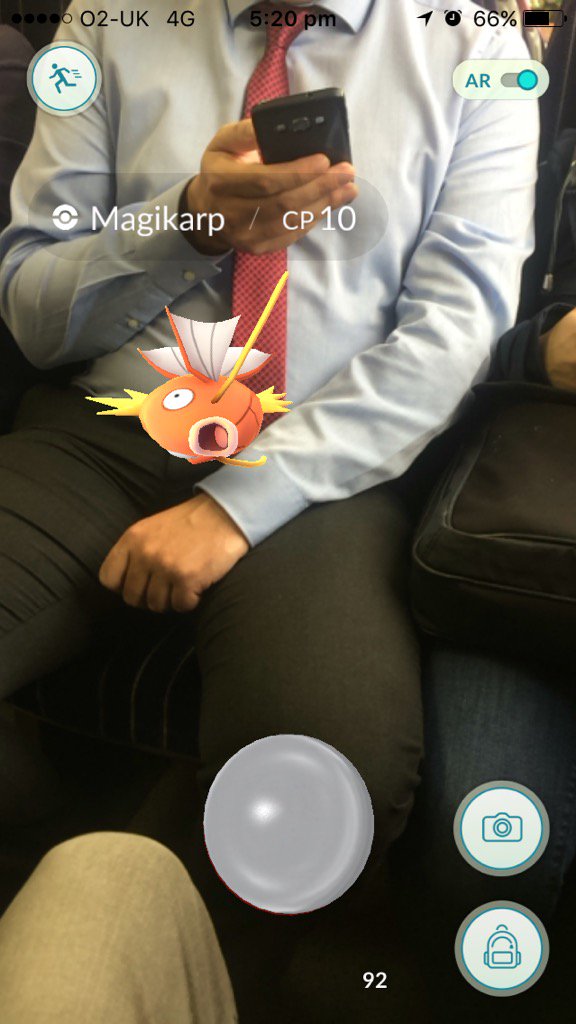
The game hasn't been out for long, but there's already a Magicarp theme emerging when it comes to Pokemon Go memes. The helpless-looking critter is showing up in all manner of unlikely venues, from the gym to this commuter's crotch. Godspeed Joel, and remember those immortal words from the Pokemon theme song: "Every challenge along the way, with courage I will face." Maybe keep your face at a decent distance, though.


7) NICKI MINAJ

Via imgur

It seems the developers of Pokemon Go lined up some celebrity endorsements to help promote the game, and this lucky Imgur user just happened to stumble across one of them. Yes, it's none other than Nicki Minaj! According to the Pokedex, Jynx "seductively wiggles its hips as it walks. It can cause people to dance in unison with it", so be careful not to fall for her moves while in customer services.
Check out to get more new free games and game review for latest games coming out.

Best Free Pokémon Go Bots: What is Necrobot ?

Get some news about bot to hack the Pokemon GO and read more reviews about game and technology.
Bots are the Pokémon Go cheat of the moment, with users turning to automated processes to help them in their quest to catch 'em all and gain XP. We explain how Pokémon Go bots like Necrobot work – and what you should consider before using one to visit Pokéstops, evolve Pokémon, or level up on your behalf.

WHAT IS A POKÉMON GO BOT?

In short, bots are fake Pokémon trainers. Pokémon Go players can employ a bot as a means of levelling up in the game without actually putting in any effort themselves.

A bot controls a player’s account. It moves around, catches Pokémon, hatches eggs, and visits Pokéstops in the same way a real person would, just without subjecting the user to physical exertion.

The constant playing gives trainers who deploy bots an obvious advantage when it comes to levelling up and filling their Pokédex. But they do so at their own risk as Niantic has started cracking down on Bot users, often permanently banning them from the game.

HOW MANY POKÉMON GO BOTS ARE THERE ?

There are numerous bots doing the rounds but the current favourite is Necrobot. Developed by the Necrobot community, the free bot is capable of doing everything that a Pokétrainer would. It catches and evolves Pokémon, transfers the unwanted, lower-level critters to Professor Willow, and even farms Pokéstops.

Another popular choice is MyGoBot, which claims to be the world's leading Pokémon Bot – although it only supports Windows and charges users after a three hour grace period. There's also PokéBuddy, but if its GitHub issue log is anything to go by, it's probably worth avoiding.

IS IT EASY TO SET UP ?

A little graft and some computing knowledge seems necessary, as the following video shows. Be warned before you try installing a Pokémon Go bot, however. It could end up with you being banned from the game if you get it working and Niantic cottons on, plus there's no way to guarantee the process is safe to follow. But if you're intrigued to see what it takes to get Necrobot working, here's one quick demonstration:


HOW DO THEY WORK ?

The bot aims to be as human-like as possible. Players can set the walking speed (many suggest nothing above 25km/h or Niantic will start to get suspicious) and also a geographic location.

The kids call this ‘GPS spoofing’, and it allows a user to transport themselves to a different location in any country, thereby helping them snare new and exotic critters. Again, you've got to be careful, as Niantic is apparently starting to notice big jumps in player locations.
Sick of walking around and getting exercise? Bots will help, but could get you banned
The bots claim to be highly customisable and players can determine how they use their items, including eggs and Pokémon, to maximise XP growth.

SOUNDS A LITTLE LIKE CHEATING – ARE POKÉMON GO BOTS ALLOWED ?

It is cheating and it almost certainly isn’t allowed, but that hasn't stopped those determined to play dirty.

The repercussions can be massive for Pokétrainers, and likely involve being banned from the game altogether, as developer Niantic considers it a breach of the terms of service.

As if that wasn't bad enough, you’ll also bring the wrath of the hard-working Pokémon Go community upon yourself, who (like ourselves) definitely consider this cheating.

In all then, using a bot is by no means safe or sanctioned. Niantic has updated its terms and conditions so that anyone using bots is now in direct violation of the game rules and could face a permanent ban. That doesn't mean you can't take advantage of bots, but you risk losing your account permanently every time that you do. Ultimately, we'd recommend actually playing and enjoying the game – in short, following the rules.
Check out to get more new free games and game review for latest games coming out.

Pokémon Go Eevee Evolution: How to evolve Eevee

Caught an Eevee on Pokémon Go, but panicking that you might end up with the wrong evolution? We’ve got you covered. Here's how to get the Eevee evolution you want – plus what to expect from the Generation 2 update and the game in the future.

There's no denying that Pokémon Go has taken the world by storm, and one of the reasons why it's so addictive is the fun that comes with evolving your Pokémon.

By now, you probably know that Eevee is one of the toughest critters to evolve, but there's plenty more evolutions to look forward to as well.

Scroll down for our full guide to evolving Eevee in Pokémon Go, but first, here's a taste of what's to come.

EVOLUTIONS TO EXPECT IN POKÉMON GO

At San Diego Comic-Con 2016, Niantic strongly hinted that there were plans afoot to release even more Pokémon into the Pokémon Go Pokéverse – and to deliver further progressions for the existing monsters.

This is what to expect from the next generation of Pokémon evolutions in Pokémon Go, starting with an old favourite...

Espeon and Umbreon

Expect to see two more evolutions of Eevee in the near future, with both Espeon (Pyschic) and Umbreon (Dark) set to enter the fray.

There's no firm news yet on how you'll be able to select the progression you want, but in the original games, Eevee evolved into Espeon during the day, while Umbreon was born in the night.

That's as good a clue as any, so we'd expect in-the-know Pokétrainers to focus their efforts on the game's day or night mode, depending on the result they want.

Crobat

This purple bat is the final form of Zubat and can be acquired by evolving a Golbat, though you'll need a high friendship level and plenty of candy to get hold of this Gen II critter.

Slowking

Evolving Slowpoke to Slowking is likely to be a tricky one. In the second-generation Pokémon games, getting the royal bipedal beast involved trading the Pokémon whilst it was holding a King’s Rock.

See the problem? Yep, trading isn't currently a feature in Pokémon Go, but we'd hope to see this fan favourite function arrive in the near future

Steelix

Steelix evolves from rock snake Onix when traded holding a Metal Coat. Again, trading is a feature we're hoping to see introduced to Pokémon Go sooner rather than later.

POKÉMON GO EEVEE EVOLUTION

Eevee was the first Pokémon that was able to evolve into several different creatures. This bushy-tailed Pokémon can become either Vaporeon (water-type), Jolteon (electric-type), or Flareon (fire-type), marking it as a seriously versatile companion.

These first-generation evolutions are all available on Pokémon Go, but you’ll need three different Eevees to evolve if you want them all. In the video games, it’s easy: you just apply a thunder stone, fire stone, or water stone depending on the evolution you want.

But in Pokémon Go, the eeveelution is entirely random. Your Eevee has a one-in-three chance of turning into the Pokémon of your desire. So there’s every chance you could end up with three Vaporeons and two blank spots in your Pokédex.

Fortunately, there’s a neat little cheat to get around this…

HOW TO CHOOSE EEVEE EVOLUTION IN POKÉMON GO

If you want to choose your Eevee evolution in Pokémon Go, you need to rename your Eevee before you evolve it:


For Vaporeon, name your Eevee ‘Rainer’
For Jolteon, name your Eevee ‘Sparky'
For Flareon, name your Eevee ‘Pyro’

There's a catch, however. You can't do this twice in a row with the same evolution. For instance, if you evolve three Eevee named Rainer, you'll get Vaporeon>Random>Random. But if you do Rainer>Pyro>Rainer, you'll get Vaporeon>Flareon>Vaporeon. Make sure you don't get caught out by this if you're trying to stack up the same type of Eevee evolution.

(Left to right: Flareon, Vaporeon, Jolteon)
These are the names of three brothers who appeared in the original anime series, each of which owned their respective corresponding Eevee evolution. This trick isn’t explicitly described in Pokémon Go, but some enterprising players managed to work it out.

WHAT ABOUT EEVEE’S OTHER EVOLUTIONS?

Any respectable Pokéfan will know that Eevee actually has more than three evolutions. In fact, Eevee can become any one of eight different Pokémon.

Unfortunately, the remaining five Eeveelutions are not first-generation Pokémon, which explains why they’re currently unavailable in Pokémon Go:

Espeon (Psychic) – Generation 2
Umbreon (Dark) – Generation 2
Leafeon (Grass) – Generation 4
Glaceon (Ice) – Generation 4
Sylveon (Fairy) – Generation 6

Will these other Pokémon ever be available in Pokémon Go? Well we’re not entirely sure. At this year’s San Diego Comic-con, Pokémon Go’s creators said that second-generation Pokémon would be added a little at a time in “interesting ways”.

Unfortunately, that’s not very definitive, so we can’t say for sure when (or if) Eevee’s five remaining evolutions will make it to Pokémon Go.
Check out to get more new free games and game review for latest games coming out.

Pokémon Go: How to find and catch rare Pokémon

Get some news to play Pokemon GO and get the reviews about game and technology
How to catch rare Pokémon: A guide to finding, hunting, and catching Pokémon, with tips on basic capture techniques and how to track down rare creatures.

Pokémon Go. It's a phenomenon like no other, with millions of Android and iOS users around the world joining the hunt to catch 'em all.

But what if you don't want to catch 'em all as much as you want to catch the good ones – or to follow what seems to be proper Pokéslogan parlance, catch the good'uns.

However you're looking to catch 'em, you're probably doing it wrong. Or at least, you could be doing it better. Luckily we've got a few tips for you. Sorry, for ya.

Here's all you need to know.

HOW TO FIND PIKACHU IN POKÉMON GO

Before we get start explaining how the hunting and capture system works, you might be interested to know this easy tip. When the game first starts, you'll be asked to choose between three starting Pokémon: Squirtle, Bulbasaur, and Charmander. What you may not be aware of is that you're not limited to these choices.

If you fancy nabbing Pikachu as your starting Pokémon, all you have to do is walk away from the three creatures you've been offered. Keep walking until your phone vibrates and they reappear. Repeat this about five or six times and Pikachu should pop up alongside the other Pokémon. Tap on him to start the capture screen and he should be yours. Simple.

Although Pikachu won't come with any particular power advantage, the little beast is an electric-type Pokémon, which seem to be quite rare in the game. As they can be effective against water-type creatures, it's worth trying to capture Pikachu if you can.

That said, you may well run across him in your travels throughout the rest of the game, although he seems to be quite rare.

FINDING POKÉMON – THE BASICS

So, you've signed up and you're ready to start catching Pokémon. By now, you should be aware that the game uses real-world maps, so finding the little beasts is a matter of actually walking around your local area.

Pokémon will crop up as you walk around and the ones closest to you will be represented by small rustling grass symbols. Walk towards these symbols and, providing the seemingly constant server issues don't prevent it, the creature should appear on the map. Once it's visible, simply tap it to start the capture screen (more on this in the next section).
The type of Pokémon that appear depend on the environment you're in. Parks are more likely to yield grass-type beasts, while going to the beach, or anywhere near water, should ensure you get a good helping of water types.

If you want to start finding the rarer ones, you'll have to up your player's level. We'll go into that more in a later section.

There are certain things you can do to draw Pokémon to you as well. If you find yourself in possession of Incense (see our Pokémon Go beginner's guide for more information), you can use it to attract creatures to your location for 30 minutes.

Alternatively, if you've got a Lure Module in your backpack, you can drop it at a Pokéstop to bring Pokémon to that location. Again, see the beginner's guide for an explanation of these terms.

FINDING POKÉMON THE EASY WAY

For those less concerned with following the rules, you'll be pleased to know that the indefatigable ingenuity (read: unrelenting desire to cheat) of the internet has made finding Pokémon a whole lot easier. There's a tonne of maps and guides strewn across the web, dedicated to showing you exactly where to find the little beasts.
For a long time, Pokévision was the most popular of these. It used the Pokémon Go API to provide up to date information on Poké locations, and generally meant you had to exert a lot less effort in the pursuit of Blastoise.

But it seems Niantic is none to pleased with recent efforts to game its system, as it's been shutting down these third-party apps left and right. But there's still a fair few online, and we just happen to have a full guide to the best ones in our Pokevision Alternatives article. You're welcome.

CATCHING POKÉMON

Once you've found a Pokémon, whether through your own efforts or by using a third-party app, you'll have to capture it in order to add it to your line-up of creatures. Although the capture system is fairly straightforward, there are a few tricks you can use to make things easier.
The basic mechanic involves you swiping upwards on your screen to launch Pokéballs at the Pokémon. Using your index finger rather than your thumb should improve accuracy. If you manage to hit it, the ball will open up and the Pokémon will be encased.

Mostly, you should find that's the end of it, but sometimes the creature will break out. In which case there are some things you can do to try and up your capture game.

Capture circles

First of all, you'll notice when you tap and hold the Pokéball, before you swipe to throw, a circle appears around the Pokémon itself, with a coloured circle within it. This coloured circle gets progressively smaller and will be either green, orange or red depending on how difficult the Pokémon itself is to capture.

Wait until the circle is as small as possible, then try and throw the Pokéball so it hits the creature right in the circle itself. The smaller the circle was when you threw the ball, the more chance you have of ensuring a capture – as long as the ball lands within the circle.
For lower-level Pokémon, it doesn't really matter whether you hit the coloured circle or not – a direct hit on the Pokémon should end in a positive result. But for the higher-level creatures, you're going to want to try and hit the the circle at its smallest. You'll know if you've been successful in doing this, as a 'Nice' or 'Great' message should appear on-screen. What's more, you'll gain extra XP for performing these moves correctly.

Curveballs

Trying to catch one of the more belligerent Pokémon? Some of the creatures have taken to batting Pokéballs away or dodging throws, so you might run into some trouble every now and then. If you find yourself in this situation, you can try throwing a curveball to make things easier.

Just use your finger to spin the Pokéball before you throw it. Doing so will add a curve to its trajectory, making it harder for the Pokémon to dodge. It takes some getting used to, but can make the difference between nabbing a rare creature and walking away empty-handed.

Better Pokéballs

When you first start the game, you'll be using the normal Pokéballs, but as you progress through the levels, you will start getting more powerful versions. Other than the standard type, you'll also start to get Great and Ultimate balls from Pokéstops as you move up the levels.

We started noticing Great Pokéballs at around level 11, and are yet to encounter any Ultimate balls – which, from the sound of it, is a good thing. Once you start picking up these upgraded Pokéballs, you'll want to save them for the rarer Pokémon.

This Pokémaster has his priorities in order
Throw from the top

Some Reddit users are claiming that throwing the ball from the top of the screen improves your chances of hitting the shrinking coloured circle. We haven't tried it yet, but by all means, give it a go and see what you think.

Switch off AR

A simple way to make throwing Pokéballs easier is simply to switch AR mode off by tapping the slider in the top-right of the capture screen. This will centre the Pokémon, making them easier to chuck Pokéballs at.


Razzberries

You should find yourself picking up a few Razzberries from Pokéstops as you travel around. During a capture scenario, tap the backpack icon in the bottom-right and select the fruit from the list. Now just tap the screen to throw it at the Pokémon. This should endear the little creature to you, making them easier to capture.

USING THE NEARBY TRACKER

When it comes to hunting down rarer Pokémon, the first tool at your disposal is the Nearby, or Sightings, tracker, which can be opened by tapping the icon in the bottom-right of the screen

The whole Nearby tracking feature and how it's developed has been nothing short of a debacle, with Niantic removing the feature, then tweaking it, then putting it back, and generally confusing everyone. For now it exists in the form of the Sightings menu, which still shows you nearby Pokémon, with the nearest in the top right and the furthest away in the bottom left (at least that's how some people think it works – others say the order doesn't matter).
While some lucky players in San Francisco are currently testing out a new Nearby tracking menu, which gives you a top-down view of the map and uses Pokéstops to guide you to specific creatures, the rest of us are stuck with Sightings for now.

Which isn't all that bad really – especially when compared to the previous Nearby menu, which many complained about not being responsive enough. Now, the Sightings menu will refresh much quicker, to keep you informed about what creatures are nearby (within an area of about 200 metres).

If you walk around and the creature drops of the list, you're going the wrong way, or the creature has disappeared from the map. Turn around, and try again, until you happen upon your desired beast. A bit laborious, we're sure you'll agree, but it's only a temporary measure until Niantic rolls out the full new Nearby tracking to everyone.

SO HOW THE HELL DO I GET SOME RARE POKÉMON?

There are two types of rare Pokémon: Rare and Legendary. Obviously, the Legendary beasts will be more elusive than the Rare ones, but both are difficult to come across. It seems that rare creatures in one area could be quite common in another, so the best advice for capturing these Pokémon is to travel around as much as possible.

The other way to ensure you start seeing rarer Pokémon is to move up the levels. The higher you are, the more likely you are to see rarer and higher-level beasts appear. Of course, once you've moved up the levels enough, you could always use one of the third-party maps to go straight to where the rare creatures are – if you don't mind being accused of cheating.

And finally, the guys over at Poké Assistant have compiled a list, based on user feedback from thousands of players, of what they say are 20 rare Pokémon:

Charizard

Ditto

Omastar

Charmeleon

Dragonair

Muk

Vaporeon

Machamp

Ivysaur

Venusaur

Blastoise

Nidoqueen

Nidoking

Vileplume

Poliwrath

Alakazam

Weepinbell

Victreebel

Slowbro

Marowak

If you fancy catching one of the above, you can find out where nests (spawn points where multiple creatures appear on the map) are located near you. If you happen to live in London, we've a got a little guide you should check out (click the link below), otherwise, the internet is full of maps showing the location of specific nests and which Pokémon will spawn there.

And that's all there is for now. We'll be updating with more tips as we discover them, so check back over the coming weeks for new ways to become a Pokémaster.
Check out to get more new free games and game review for latest games coming out.